# Spinning Up
### Checklist for Running a Router
* Spin up the router and configure for testnets.
* Provide liquidity and gas fees on testnets.
* Test the router on testnets.
* Change configuration to mainnets (use a different private key!), or spin up a new mainnet router.
* Provide liquidity on mainnets.
* Monitor router logs.
***
### :warning: Requirements
> **Minimum Hardware Requirements**\
> :black\_square\_button: 8GB RAM\
> :black\_square\_button: 30GB Storage
### Preparation
1. **Private key of your wallet** from Metamask.\
For safety reason create a new wallet address for router. You can create it in Metamask extention or get it automatically during installation.
2. **Setup provider endpoints.** You have to add it to `config.json` file to use your own endpoints. For that we will use the nodes provided by the service [Infura](https://infura.io/).
> You can use also [blastapi.io](https://blastapi.io) as RPC privider to get endpoints for almost any network ([the guide how to get it](https://medium.com/@alexzhurba/adding-rpcs-for-connext-36094191ae4f)). Many other RPC provider services exist as well.
2.1 Register at [infura.io](https://infura.io/) and create new project:
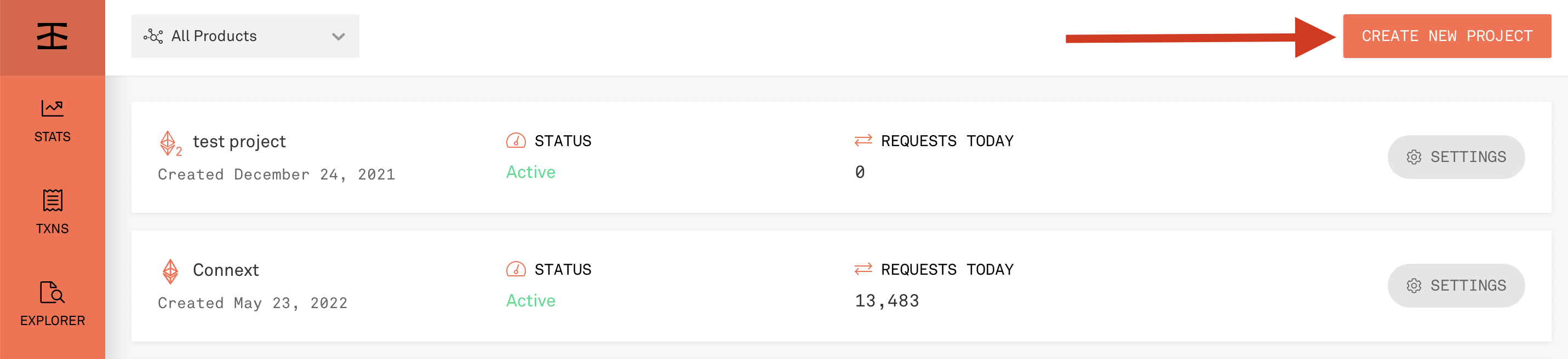 
2.2 Open settings:

2.3 And copy your project ID. It will be the same on any network

**Keep this data handy, you will need it for further installation**
***
### Manual Setup With Docker Compose
Refer to for instructions on spinning up using Docker Compose!
## #Next Steps
* See the management guide for details on router administration.
* See the liquidity guide for details on how to add liquidity to your router.
* See the security guide reference for details on the security for the router.
***
### Useful links
* How to deploy your router using helm — [Guide](https://github.com/connext/router-helm)
---
# Agent Instructions: Querying This Documentation
If you need additional information that is not directly available in this page, you can query the documentation dynamically by asking a question.
Perform an HTTP GET request on the current page URL with the `ask` query parameter:
```
GET https://docs.connext.network/routers/spinning-up.md?ask=
```
The question should be specific, self-contained, and written in natural language.
The response will contain a direct answer to the question and relevant excerpts and sources from the documentation.
Use this mechanism when the answer is not explicitly present in the current page, you need clarification or additional context, or you want to retrieve related documentation sections.